
How to Make Roblox Animations in 2026 (Studio, Video and AI)
There are three ways to make a Roblox animation in 2026. You can pose keyframes by hand in Roblox Studio's Animation Editor, turn a short video into keyframes with Animation Capture, or type a prompt into a text-to-animation tool and import the file it gives you. This guide shows how to make Roblox animations with each method, then how to import, publish and play them in your game.
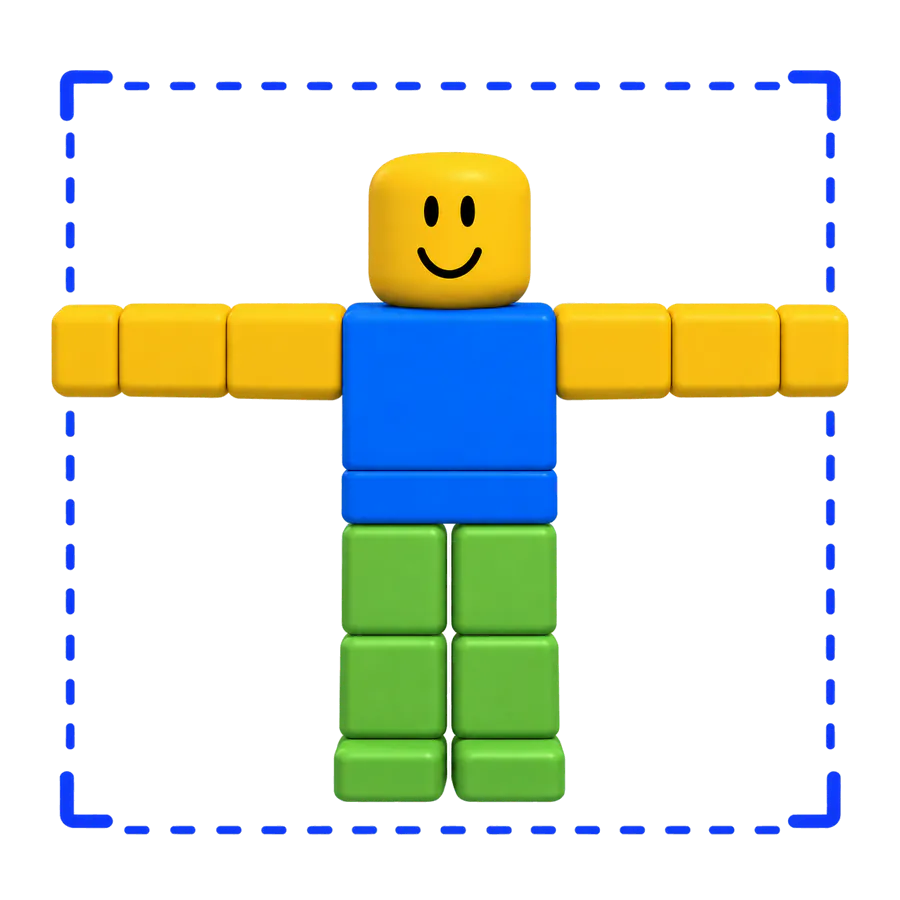
Everything below is for R15 rigs, the 15-part standard Roblox character, unless we say otherwise.
What program do Roblox animators use?
Most Roblox animators use one of four kinds of tool:
- The Animation Editor. It is built into Roblox Studio, on the Avatar tab or under Window → Avatar. You pose a rig on a timeline that runs at 30 frames per second.
- A Studio plugin. Moon Animator 2 is a keyframe plugin with about 20,000 votes on its Creator Store page. The official listing on the Creator Store is by the creator
xsixxand was on sale for $19.99 when we checked. Several free "Moon Animator 2" uploads by other accounts are unauthorised copies, so skip those. - Blender or another 3D app. You animate there, export an FBX, and bring it into the Animation Editor.
- An AI generator. You describe a move or upload a video and get a finished clip. We compare these in our best Roblox animation maker roundup.
How do you animate in Roblox Studio by hand?
The Animation Editor only works on a rig. Roblox's own steps look like this:
- On the Avatar or Home tab, click Character to open the Rig Generator, and insert an R15 rig.
- Select the rig in the 3D viewport or in the Explorer window, then open the Animation Editor.
- Drag the scrubber to a point on the timeline. Timeline units read seconds:frames, so 0:15 is half a second.
- Select a body part and move or rotate it. Press R to switch between Move and Rotate. Each change adds a keyframe for that part.
- Repeat at other points on the timeline. The editor fills in the motion between your poses.
- Press Play or the Spacebar to preview.
By default the timeline shows one second. Type a longer value into the right-hand box of the position indicator to add time.
Easing makes the biggest difference to how natural a hand-made animation looks. Our Roblox Animation Editor guide covers easing, looping and priorities in detail.
Can you turn a video into a Roblox animation?
Yes. Roblox has a beta tool called Animation Capture. Turn it on under File → Beta Features → Live Animation Creator, then pick ⋯ → Import → Live Animation Creator in the Animation Editor.
Roblox lists these rules for the video:
- An
.mp4or.movfile. - One person, well lit and visible the whole time.
- A single continuous shot from a stable camera, under 15 seconds long.
Processing takes about a minute, and body capture works on R15 rigs only.
How do you make a Roblox animation from text?
A text-to-animation tool writes the keyframes for you from a short description. Here is the flow in MocapGen, our Roblox animation maker:
- Describe the move. Write one or two plain-English sentences, for example "a knight swings a sword overhead, then steps back into guard". Prompts are English only and up to 300 characters.
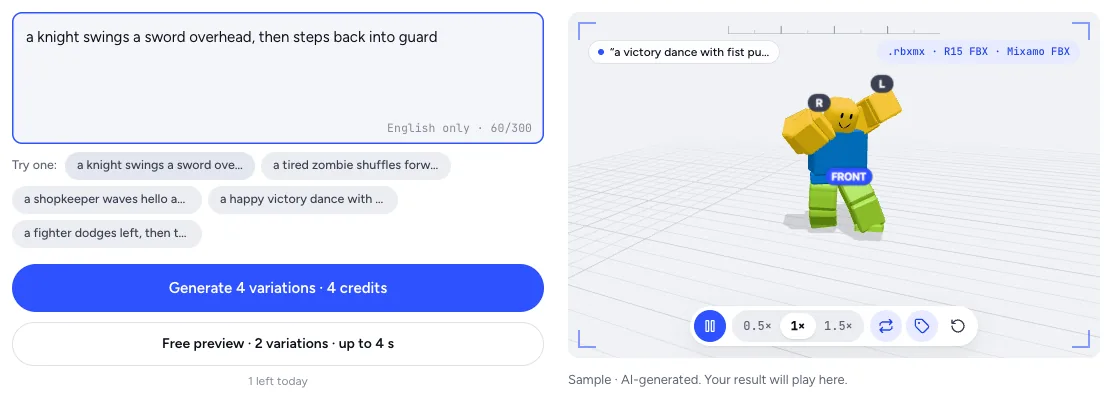
- Set the options. Choose a length from 0.5 to 10 seconds, a motion mode (Natural, In-place or Loop) and a strength. In-place keeps the character on one spot, which suits idles and walk or run cycles.
- Generate. Each run gives you 4 variations of the same prompt. A run costs 1 credit per second, rounded up, with a 4-credit minimum. A 3-second clip costs 4 credits; a 6-second clip costs 6.
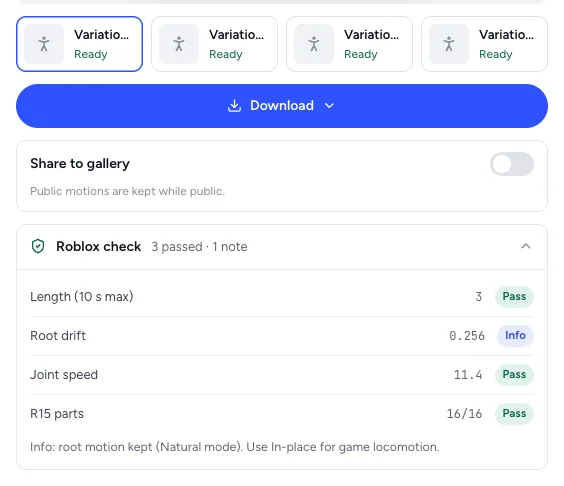
- Pick a take and read the Roblox check. Every variation shows its length, root drift, joint speed and R15 parts before you download it.
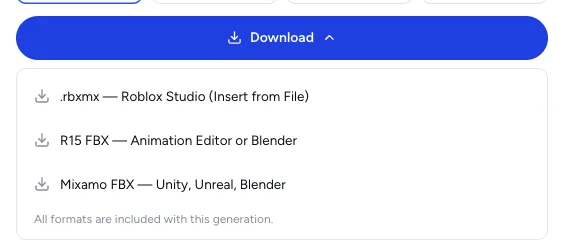
- Download. Choose
.rbxmxfor Roblox Studio, R15 FBX for the Animation Editor or Blender, or Mixamo FBX for other engines.
Want to try before you pay? Signed-in users get 1 free preview a day: 2 variations, up to 4 seconds, viewable online only. Our free R15 animation library has 24 ready-made clips you can download after signing in, with no credits used. Credit costs and plans are on the pricing page.
How do you import an animation file into Roblox Studio?
For an .rbxmx file from MocapGen:
- In the Explorer, expand your R15 rig and find its AnimSaves folder. If there isn't one, save any animation on the rig first; saving creates the folder.
- Right-click AnimSaves, choose Insert From File, and pick the
.rbxmxyou downloaded. - In the Animation Editor, click ⋯, go to Load, and pick the animation.
Roblox documents this same Insert From File flow for animation files saved from Studio.
For an FBX file:
- In the Animation Editor, click ⋯ next to the rig name.
- Choose Import → From File and select the
.fbx. Older tutorials call this option "From FBX Animation". - In Import Settings, choose Imported Rig as the root pose source and click Import.
How do you publish a Roblox animation and get an ID?
Saving only stores the animation in your place file. To use it in a live game, publish it:
- If the animation will replace a default one, such as run or jump, rename the final keyframe
End. The name is case-sensitive. - In the Animation Editor, click ⋯ and choose Publish to Roblox.
- Enter a title and an optional description.
- If the game belongs to a group, pick that group in the Creator field.
- Click Submit, then copy the asset ID from the Toolbox.
Use the ID as rbxassetid://<ID> in an Animation instance, and play it with Animator:LoadAnimation().
Since 2025, animations are restricted assets. A game can only load an animation it has permission to use. Publish under the same account or group that owns the game, or add the animation's ID to the game's permissions (Creator Hub → your experience → Configure → Permissions → Assets).
FAQ
What is the easiest way to make a Roblox animation?
For a short, specific move, typing a prompt into a text-to-animation tool is the easiest start, because you get finished keyframes to check in Studio. For full control over every pose, the Animation Editor is the standard tool.
Can I use an AI-made animation in a published game?
Yes, once you publish it to your account or group and the game has permission to load it. MocapGen files are yours to use in your games.
How long can a Roblox animation be?
MocapGen clips run from 0.5 to 10 seconds. Roblox's Animation Capture takes videos under 15 seconds, and each clip in an uploaded avatar animation pack must be 10 seconds or shorter.
Do I need Blender to make Roblox animations?
No. You can animate inside Studio, and MocapGen's .rbxmx goes straight into Studio. Blender is useful when you want to hand-edit an FBX.
For a single walk cycle, try the Roblox walk animation generator. For the full picture of prompts, see text to animation explained.
Information checked October 4, 2026. Roblox steps come from the official Roblox Creator Hub documentation; MocapGen numbers come from our current pricing and product settings.