
Best Mixamo Alternative in 2026 for Custom Game Animations
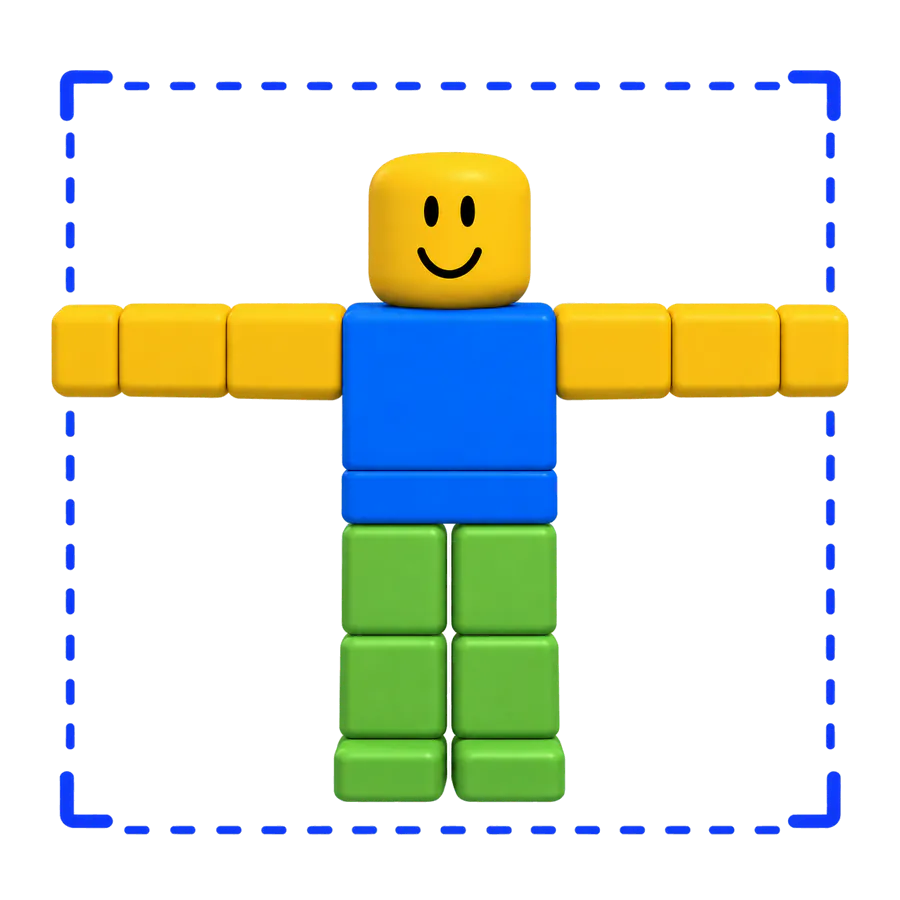
The best Mixamo alternative depends on what Mixamo can't give you. Mixamo is Adobe's free library of pre-made character animations: you pick a clip, you don't describe one. If you need a move that isn't in the library, a text-to-motion tool is the natural Mixamo alternative, because it creates a new animation from a prompt and still exports an FBX you can use in Blender, Unity or Unreal.
We make MocapGen, one of those tools, so we put it in the list below with its limits. We also say when you should simply stay with Mixamo.
What does Mixamo do well, and where does it stop?
Mixamo is genuinely useful:
- It's free. Adobe says it is available free with an Adobe ID, with no extra purchase or Creative Cloud subscription.
- It's royalty free. Adobe's FAQ says you can use the characters and animations in personal, commercial and non-profit projects, including video games.
- It rigs characters for you. Upload a humanoid model and the auto-rigger adds a skeleton.
Its limits are just as clear:
- No prompts and no video. You choose from the library; you can't ask for a new move.
- Humanoids only. Adobe says the auto-rigger and animations are for bipedal humanoids; animals, vehicles and objects aren't supported.
- Not a Roblox rig. Mixamo uses its own skeleton, so a Mixamo clip has to be retargeted before it plays on an R15 avatar.
- One saved character. Only the last character you used is stored.
Older versions of Adobe's FAQ also said you may not redistribute the raw Mixamo files themselves. Don't resell or repackage them.
Which Mixamo alternatives make new animations from text?
Here are the tools we checked on October 4, 2026, with what each one's own site says.
| Tool | Input | Exports | Free option | Paid from |
|---|---|---|---|---|
| MocapGen | Text | Mixamo FBX, R15 FBX, .rbxmx |
1 preview a day, online only | $7 for 25 credits |
| DeepMotion SayMotion | Text | FBX, GLB, BVH, MP4 | 3 credits a month | $9 a month, billed yearly |
| Uthana | Text and video | FBX, GLB, BVH | None | $0.02 per second, pay as you go |
| QuickMagic | Video, text in beta | FBX free; Mixamo, Unity, Unreal and more on paid plans | 50 V Coins | $11.90 a month, billed yearly |
| Meshy | Your 3D character plus preset motions | FBX, GLB | 100 credits a month | EUR 19 a month |
A few notes on the list:
- MocapGen is text only and R15-first. Every run gives 4 variations, and the Mixamo FBX uses standard Mixamo bone names, with finger bones kept.
- DeepMotion SayMotion gives 2 variants per run on the free plan and 4 on Starter.
- Uthana stopped offering new subscriptions in August 2026; pay as you go remains.
- QuickMagic's free plan is FBX only and excludes commercial use.
- Meshy applies preset motion clips to a rigged character, so it's closer to Mixamo's model than to text-to-motion. Free outputs are licensed CC BY 4.0, which means attribution.
For Roblox-specific tools, see our best Roblox animation maker comparison.
When should you stay with Mixamo?
Stay with Mixamo if the move you need is already in its library, you want zero cost, and you're happy with stock motion that other games may also use. Its royalty-free licence covers commercial projects.
Switch to a text-to-motion tool when you need a specific move, such as "a tired zombie shuffles forward, arms hanging low", a custom length, or a loop that matches your game.
How do you get a Mixamo-rig FBX from MocapGen?
- Write an English prompt on MocapGen and generate. You get 4 variations to compare in 3D.
- Pick the best take.
- Open the download menu and choose Mixamo FBX.
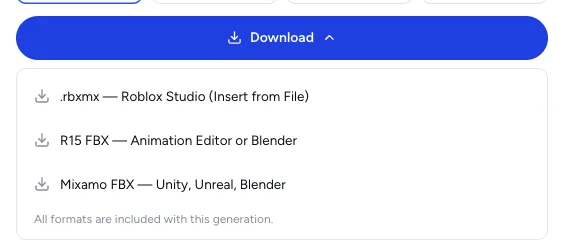
All three formats come with every paid generation. A run costs 1 credit per second with a 4-credit minimum; prices are on the pricing page.
How do you use a Mixamo-rig FBX in Blender, Unity and Unreal?
The steps below come from each engine's official docs. None of those docs name Mixamo, so treat the Mixamo-specific parts as a starting point and test one clip first.
Blender
- Import the file with Blender's built-in FBX importer.
- Each FBX "take" comes in as a separate Action.
- The importer's Armature options include Ignore Leaf Bones.
Unity
- Select the FBX and open the Rig tab of its import settings.
- Set Animation Type to Humanoid. Unity's docs say to use it for rigs with two legs, two arms and a head.
- For the first clip, set Avatar Definition to Create From This Model. For more clips on the same rig, use Copy From Other Avatar.
- Click Configure to check the bone mapping.
Unreal Engine
Unreal moves animation between different skeletons with IK Rig retargeting:
- Create an IK Rig asset for the source skeleton and one for your target skeleton, each with retarget chains.
- Create an IK Retargeter asset in the Content Browser that links the two.
- Pick the clips and use Export Selected Animations.
Mixamo's own download options
Adobe's help pages don't list the download settings, but third-party guides describe the dialog as offering Format, Skin (With or Without Skin), Frames per second, Keyframe Reduction and In Place. Those guides suggest downloading the character once with skin and each animation without skin, and ticking In Place only for walks and runs that shouldn't move the root.
FAQ
Is there a free Mixamo alternative?
Mixamo itself is free. Among the tools above, the free options are limited: MocapGen gives signed-in users 1 free preview a day (2 variations, up to 4 seconds, online only), DeepMotion SayMotion gives 3 credits a month, and Meshy gives 100 credits a month. For Roblox, our free R15 animation library has 24 clips to download after sign-in.
Can I use Mixamo animations in Roblox?
Not directly. Mixamo's skeleton isn't R15, so the motion has to be retargeted first. If you want new motion for Roblox, generating straight to R15 skips that step; our guide to making Roblox animations shows the import into Studio.
Does text to motion replace a motion library?
Not always. A library is instant and free for common moves. Text to motion is for the moves a library doesn't have. Our text to animation explainer covers what it does well and where it stops.
Information checked October 4, 2026. Mixamo details come from Adobe's Mixamo FAQ and help pages; engine steps come from the Blender, Unity and Unreal documentation; other tools' details come from their own pages on that date.